Designing Playful Experiences · Group C1-4

Welcome to our Process Portfolio

4 Team members
4 Academic papers
3 Core playful features
01 · Motivation & Research

Why Go Runners matters

We examine why beginner runners struggle to start and continue, what existing research and running products already support, and where Go Runners can create a more guided, social, and playful experience.

Why we chose the Go Runners theme

We chose the Go Runners theme because running is a simple and accessible activity, but many people still find it difficult to start, join, and continue. Beginner runners often feel unsure about where to run, how far to run, what pace is suitable, and whether they are fit enough to join a group activity. At the same time, activity organizers may find it difficult to attract participants, communicate event details, manage routes, and keep runners engaged after the event.

Go Runners gives us a chance to design a playful and practical system that connects digital support with real onsite activity. Since the theme includes mobile and PC platforms, users can discover and register for activities easily, while organizers can manage events more clearly. The use of location-based technology can help runners understand routes, distance, and meeting points. Wearable data can also support safer and more personalized running experiences.

We chose this theme because it is not only about tracking performance. It is about reducing the barrier to participation, supporting social motivation, and helping runners build confidence through real-world activity. Our design goal is to make running feel more guided, social, and enjoyable.


Research gap: academic papers

4 papers

These papers help us understand how playful feedback, narrative framing, social motivation, and route recommendation can support Go Runners. We use them selectively because our project is not a pure fitness tracker: it focuses on beginner-friendly onsite running activities, clear routes, organizer support, and motivation after each run.

Paper 01 Gamification

The Effects of mHealth-Based Gamification Interventions on Participation in Physical Activity: Systematic Review

Xu et al. (2022)

Why relevant: This review supports Go Runners' playful system direction because it explains how gamified feedback can influence physical activity participation. It is useful for designing badges, progress cards, and completion feedback, but it also reminds us to avoid overly competitive mechanics for beginners.

Did well
  1. Shows that gamification can increase motivation for physical activity.
  2. Summarizes playful elements such as points, badges, progress bars, and feedback loops.
  3. Provides a broad research background across many previous studies.
Missed
  1. Focuses on general physical activity rather than onsite running activities.
  2. Does not deeply explain organizer-side event management.
  3. Gives limited guidance on how to make gamification supportive instead of competitive.
Design implication: Go Runners should use light gamification such as progress cards, badges, and completion feedback, while avoiding leaderboards or ranking pressure that could discourage nervous beginners.
Paper 02 Narrative

Running app "Zombies, Run!" users' engagement with physical activity: A qualitative study

Faric et al. (2021)

Why relevant: This paper is directly related to running apps and shows how narrative, storyline, and characters can make running feel more immersive. For Go Runners, the value is not copying a zombie game, but using small story-like moments to make routes and achievements feel more meaningful.

Did well
  1. Focuses directly on a running app, so it is highly relevant to Go Runners.
  2. Shows how story and immersion can make running feel more enjoyable.
  3. Uses interviews to provide real user experience evidence.
Missed
  1. Focuses more on individual running than group activity management.
  2. Does not cover route planning, meeting points, or onsite support.
  3. A strong game narrative may not fit users who prefer simple guidance and real-world clarity.
Design implication: Go Runners can use lightweight narrative feedback such as route challenges, completion stories, and progress journeys, while keeping the main flow clear for users who simply want to join a suitable run.
Paper 03 Social motivation

Running on a social exercise platform: Applying self-determination theory to increase motivation to participate in a sporting event

Tsai et al. (2021)

Why relevant: This study connects running with social participation and shows how relatedness, encouragement, and event participation can influence usefulness and behavioral intention. This matches Go Runners' focus on helping beginners feel confident enough to join local group activities.

Did well
  1. Connects running with social participation, not only individual tracking.
  2. Uses self-determination theory, especially autonomy, competence, and relatedness.
  3. Shows encouragement and social presence can make running feel more connected.
Missed
  1. Focuses less on practical organizer tools such as event setup, route publishing, and participant updates.
  2. Does not fully explore beginner anxiety, such as fear of being too slow.
  3. Gives limited detail about route guidance or wearable integration.
Design implication: Go Runners should support social motivation softly through beginner labels, group encouragement, participant visibility, and simple event joining, without making beginners feel exposed or judged.
Paper 04 Route recommendation

Preference based Filtering and Recommendations for Running Routes

Issa et al. (2016)

Why relevant: This paper focuses on recommending suitable running routes based on route features and user preferences, including distance, elevation, environment, road type, and running history. This supports Go Runners' need to help users judge whether an activity route is suitable before joining.

Did well
  1. Focuses directly on running routes, matching Go Runners better than a general fitness paper.
  2. Considers route features beyond distance, including environment and road type.
  3. Builds a recommendation approach based on user preferences and running history.
Missed
  1. Does not discuss how users join organized running activities or communicate with organizers.
  2. Does not focus much on beginner confidence, anxiety, or fear of being too slow.
  3. Is more technical and less focused on playful experience or post-run engagement.
Design implication: Go Runners should show route suitability through distance, difficulty, environment, route type, meeting point, and beginner-friendly labels, while adding the social joining and playful motivation that a route algorithm alone cannot provide.

Commercial product review

4 products

These products show useful patterns for tracking, coaching, route discovery, community, and event organization. The comparison also clarifies why Go Runners should focus on beginner-friendly onsite running activities rather than becoming a general fitness or event platform.

Performance + community

Strava

Did well
  1. Strong activity tracking and performance analysis.
  2. Supports route discovery, maps, clubs, challenges, and race courses.
  3. Builds a strong running community through sharing and clubs.
Missed for Go Runners
  1. Can feel too competitive for beginner runners.
  2. Focuses more on tracking during or after exercise than pre-activity confidence.
  3. Club/event support is not centered on small beginner-friendly onsite runs.
Guided coaching

Nike Run Club

Did well
  1. Provides guided runs with audio coaching and motivation.
  2. Offers training plans for different running goals.
  3. Uses encouraging coach-led content that helps beginners.
Missed for Go Runners
  1. Focuses more on individual training than local onsite group activities.
  2. Does not strongly support organizers creating and managing events.
  3. Route discovery and local meeting-point support are not the main focus.
Fitness content + social

Keep

Did well
  1. Provides broad fitness and running content with activity tracking.
  2. Supports social sharing of progress and exercise experiences.
  3. Includes running-related functions such as nearby routes and team running.
Missed for Go Runners
  1. Running may feel less focused because the platform covers many fitness types.
  2. Content-heavy flows may overwhelm users who only want to join a simple run.
  3. Organizer-side support for small local running events is not clear enough.
Local events

Meetup

Did well
  1. Helps users discover local events and groups by shared interest.
  2. Supports organizers in creating groups, scheduling events, and managing members.
  3. Focuses on real-world social participation and community building.
Missed for Go Runners
  1. Not designed specifically for running route, pace, or distance guidance.
  2. Does not provide training support or post-run progress feedback.
  3. Helps users find events, but does not make the run itself playful or guided.
Design opportunity

Existing products separate the key needs: Strava is strong in performance and community, Nike Run Club is strong in coaching, Keep is strong in fitness content, and Meetup is strong in event organization. Go Runners can position itself as a focused system that combines beginner-friendly running guidance, local onsite activity joining, route clarity, organizer support, and playful post-run motivation.

The Stakeholders

Personas

Go Runners serves two connected stakeholder groups: beginner runners who need confidence and guidance, and activity organizers who need clearer tools for attracting participants, communicating event details, managing routes, and keeping runners engaged after each event.

Primary Users

Runners

Beginner runners, casual runners, students, and local residents who want to discover running events, check routes, join activities, track progress, and receive supportive feedback.

Secondary Users

Activity Organizers

Running club organizers, student activity leaders, community sports organizers, and event volunteers who create events, set meeting points and routes, manage participants, and send reminders.

Primary persona photo
Primary Persona

Emily

University student - Beginner runner - Looking for a sustainable and enjoyable running habit

"I want running to become part of my weekly routine, but I need it to feel motivating and manageable rather than tiring or stressful."

Age: 20 Role: XJTLU student Goal: Build a running habit Level: Beginner

Background

Emily is a university student who wants to build a regular running habit for fitness, stress relief, and personal achievement. She has interest in improving her health, but her class schedule is busy and her motivation can be unstable. She prefers tools that are easy to start with and that offer clear, positive guidance instead of competitive pressure.

Why Emily matters

Emily represents beginner runners who need clear route information, beginner-friendly guidance, and reassurance before joining an onsite running activity.

Needs

Fast onboarding, simple run tracking, visible progress, and motivating feedback that feels achievable.

Pain Points

Existing running apps can feel boring, overwhelming, or too competitive for beginners.

Motivation

She wants running to feel enjoyable, rewarding, and easy to continue every week.

Design Opportunity

Provide a welcoming entry point, beginner-friendly recommendations, and playful progress feedback.

  • Typical scenario: Emily opens GoRunners after class to look for a beginner-friendly activity or a short training suggestion.
  • Frustration: If the system looks too advanced or too complicated, she may lose confidence and leave quickly.
  • Expectation: She wants clear next steps, achievable goals, and a sense of progress after each run.
Secondary persona photo
Secondary Persona

Mr. Li

Campus running club organizer - Plans group runs - Needs clear event and route management

"I want more students to join our runs, but I need an easier way to explain the route, pace, meeting point, and follow-up details."

Age: 35 Role: Event organizer Goal: Run smooth group activities Focus: Participation

Background

Mr. Li helps organize student running activities on campus. He wants each event to feel welcoming and safe, especially for beginners who may worry about pace, distance, and whether they can keep up. However, he often has to repeat the same details across chat groups, explain routes manually, and keep participants engaged after the run.

Why Mr. Li matters

Mr. Li represents organizers who need tools to create activities, manage runners, share route details, and keep participants informed before and after the event.

Needs

Clear event publishing, route information, participant sign-up status, and simple communication before and after each run.

Pain Points

It is difficult to attract beginners, communicate pace and meeting details clearly, manage route changes, and maintain engagement after the event.

Motivation

He wants group running to feel organized, inclusive, and enjoyable so more students are willing to join again.

Design Opportunity

Support organizer-side tools for event setup, route clarity, beginner labels, participant updates, and post-run community feedback.

  • Typical scenario: Mr. Li creates a weekend beginner run, sets the route, pace range, meeting point, and participant limit.
  • Frustration: If event details are scattered across messages, participants may misunderstand the route, arrive late, or feel unsure about joining.
  • Expectation: He wants a clear organizer workflow that makes activity planning, communication, and follow-up easier.
02 · User Requirements

From runner pain points to design requirements

This section maps the needs of beginner runners and activity organizers into a user journey, three playful system requirements, and real-world observation evidence.

GoRunners User Journey Map

Pain-point focused

This journey focuses on how a beginner runner discovers a suitable activity, checks details, joins the run, participates onsite, reflects on progress, and decides whether to return.

Discover Activity

Goal: Find a running activity that feels suitable for a beginner.

Action: Browse nearby activities and scan event cards.

Pain point: "I want to run, but I do not know which activity is suitable for my level."

Design response: Show beginner-friendly labels, activity cards, and clear route previews.

Check Details

Goal: Understand the route, distance, pace, difficulty, time, and meeting point before joining.

Action: Open an activity page and compare key details.

Pain point: "The route, distance, pace, and difficulty are not clear enough before joining."

Design response: Present route maps, difficulty tags, pace ranges, and meetup instructions in one place.

Join / Register

Goal: Decide whether to register and feel confident about joining the group.

Action: Confirm participation, check participant list, and receive preparation guidance.

Pain point: "I am afraid I will be too slow or not fit in with the group."

Design response: Use welcoming wording, beginner notes, participant limits, and preparation reminders.

Participate Onsite

Goal: Arrive smoothly and feel supported during the activity.

Action: Find the meeting point, follow the route, and complete the run.

Pain point: "I may get confused about the meeting point, route, or safety instructions."

Design response: Provide location-based route guidance, meetup reminders, check-in feedback, and safety information.

Track & Reflect

Goal: Understand what the run means for personal progress.

Action: Review completed distance, pace, effort, and feedback.

Pain point: "The data is shown, but I do not know what it means for my progress."

Design response: Translate running data into simple progress feedback, recovery tips, and achievable next steps.

Return / Rejoin

Goal: Stay motivated and decide whether to join another activity.

Action: Check post-run feedback, next activity suggestions, and social updates.

Pain point: "After one activity, I may lose motivation if there is no feedback or next goal."

Design response: Use badges, progress cards, next-run suggestions, and community feedback to support return behavior.

Must-have 01

Beginner-Friendly Activity Discovery

Go Runners must help runners find suitable activities based on distance, difficulty, pace, location, and time, using clear labels such as beginner-friendly, short route, or social run.

Linked user: Emily
Linked pain point: Users do not know which activity is suitable.
Possible feature: Activity cards, difficulty tags, route preview.

Must-have 02

Location-Based Onsite Guidance

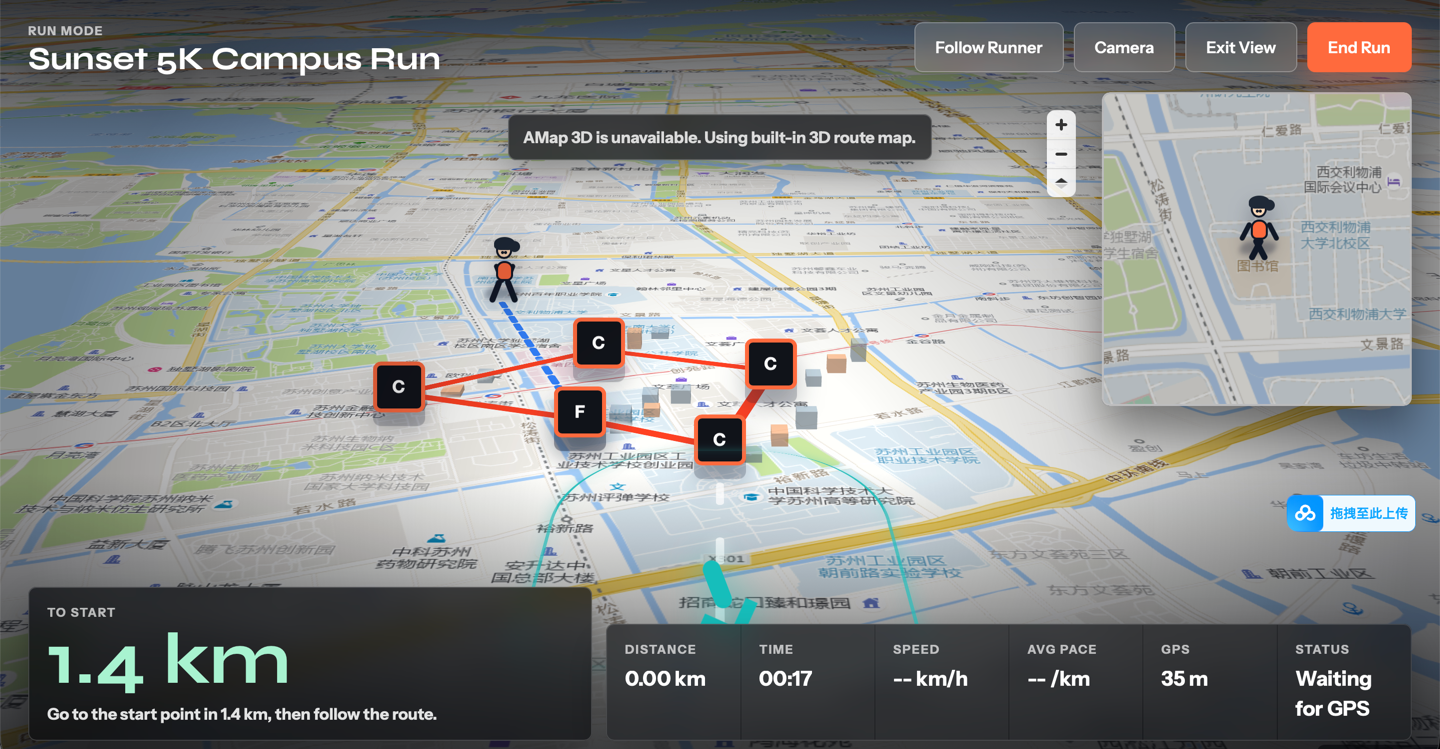
Go Runners must provide clear onsite support before and during each running activity, including route maps, meeting points, distance, safety reminders, and progress tracking through location or wearable data.

Linked user: Runners and organizers
Linked pain point: Users may feel confused about routes and onsite instructions.
Possible feature: Route map, live location, wearable tracking, safety reminder.

Must-have 03

Motivation and Return Experience

Go Runners must encourage users to continue after the activity through simple completion feedback, personal progress, small achievements, and next activity recommendations.

Linked user: Beginner and casual runners
Linked pain point: Users may lose motivation after one run.
Possible feature: Badges, progress card, next-run suggestion, streak.

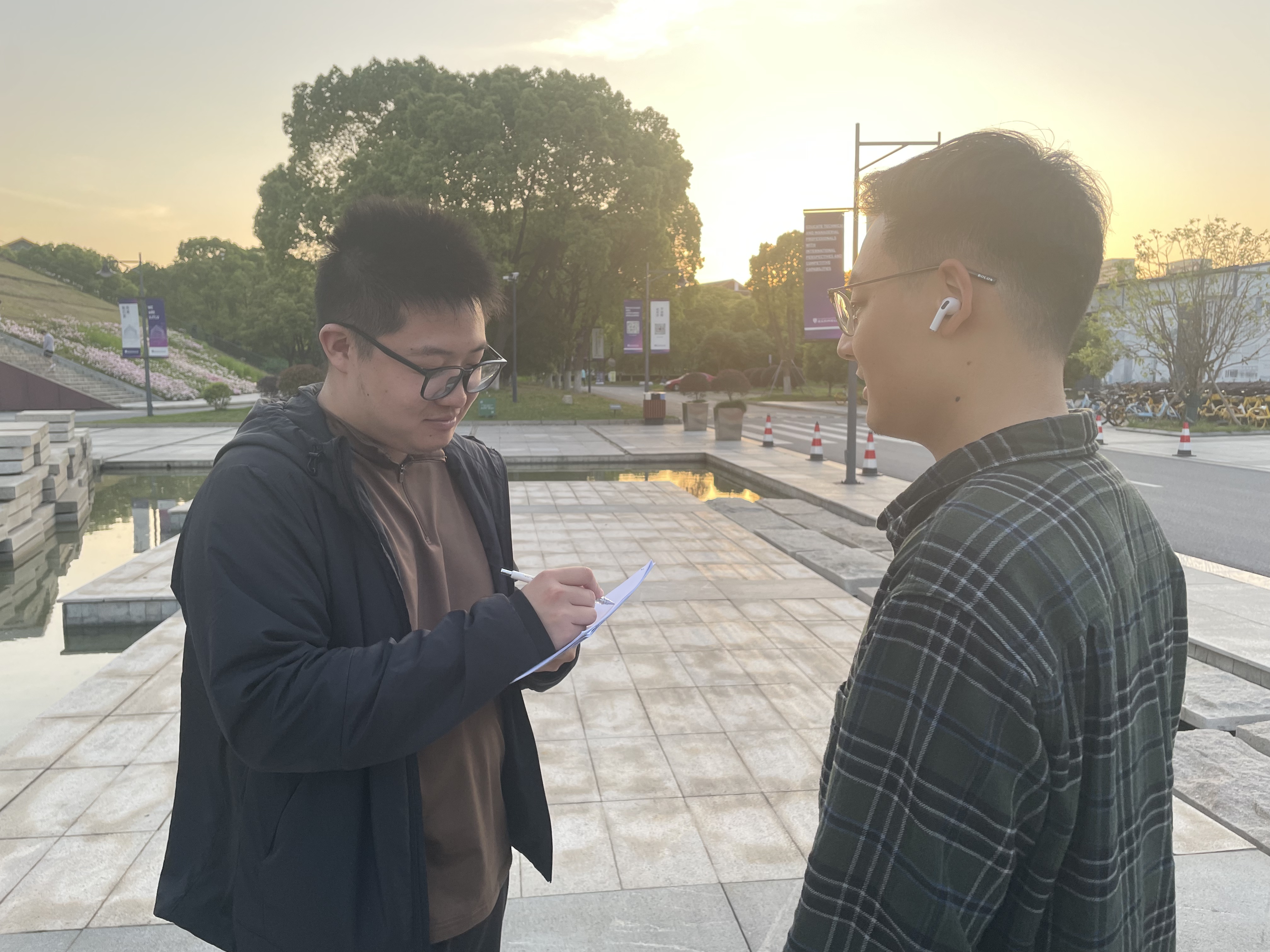
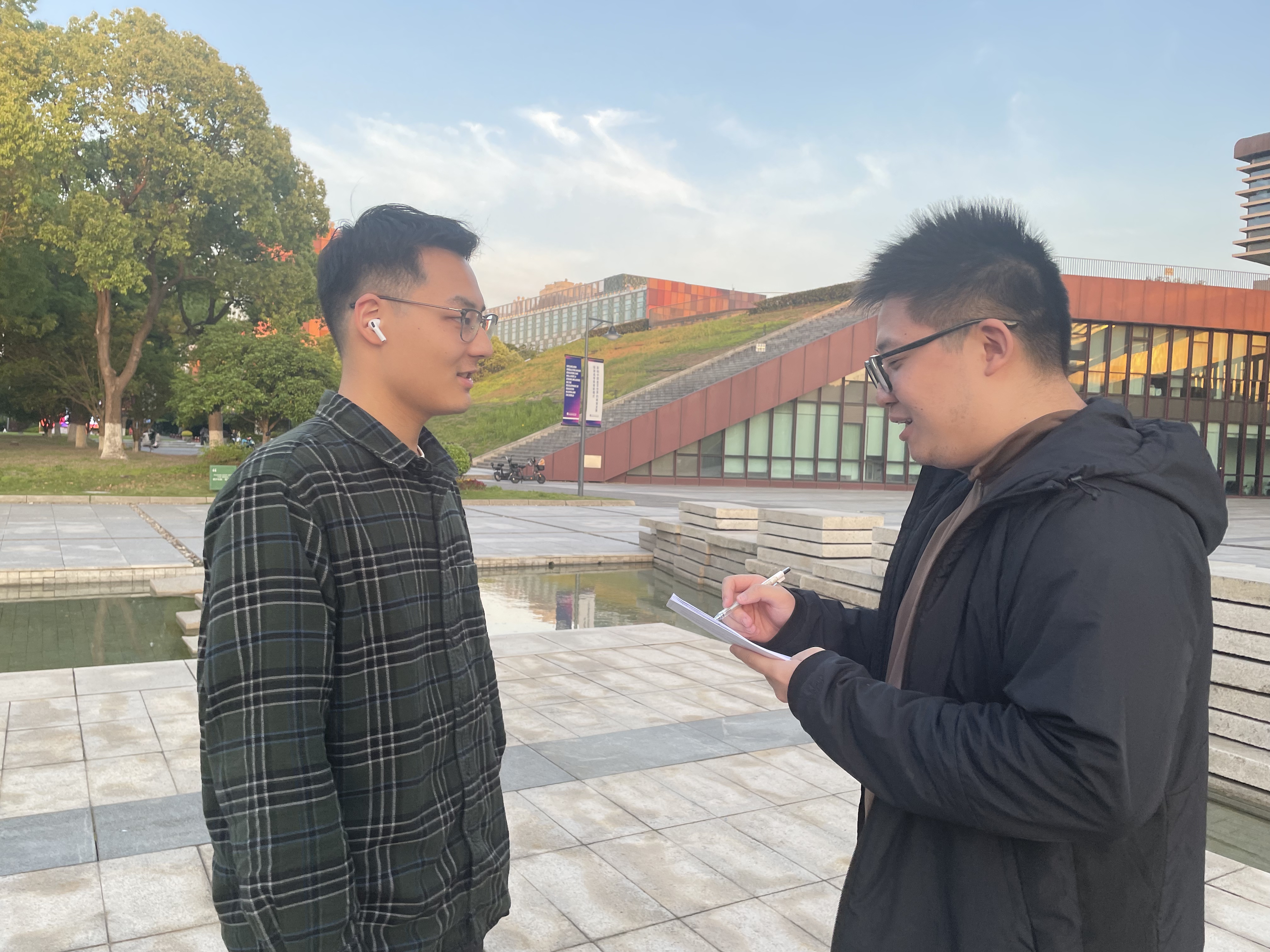
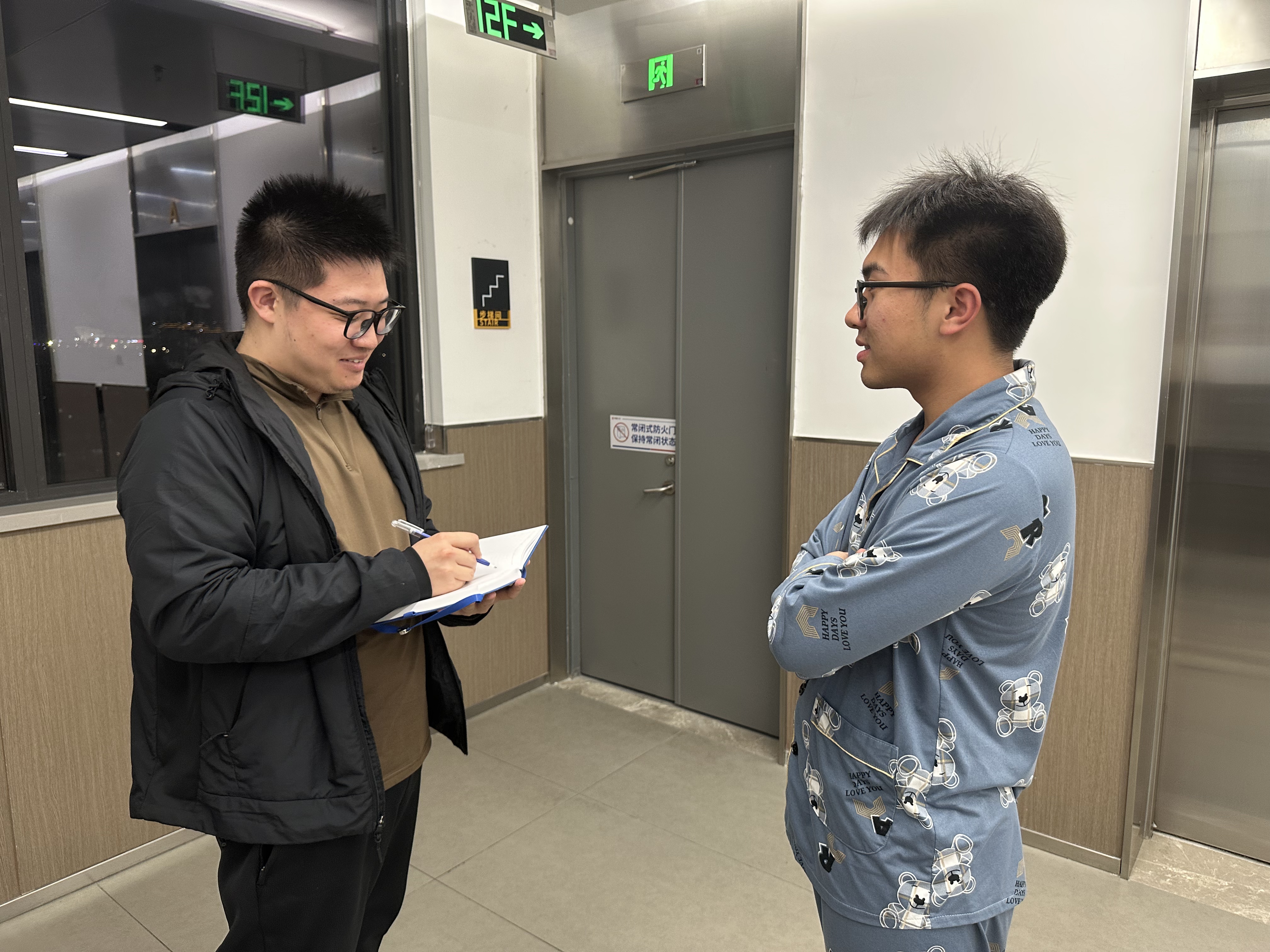
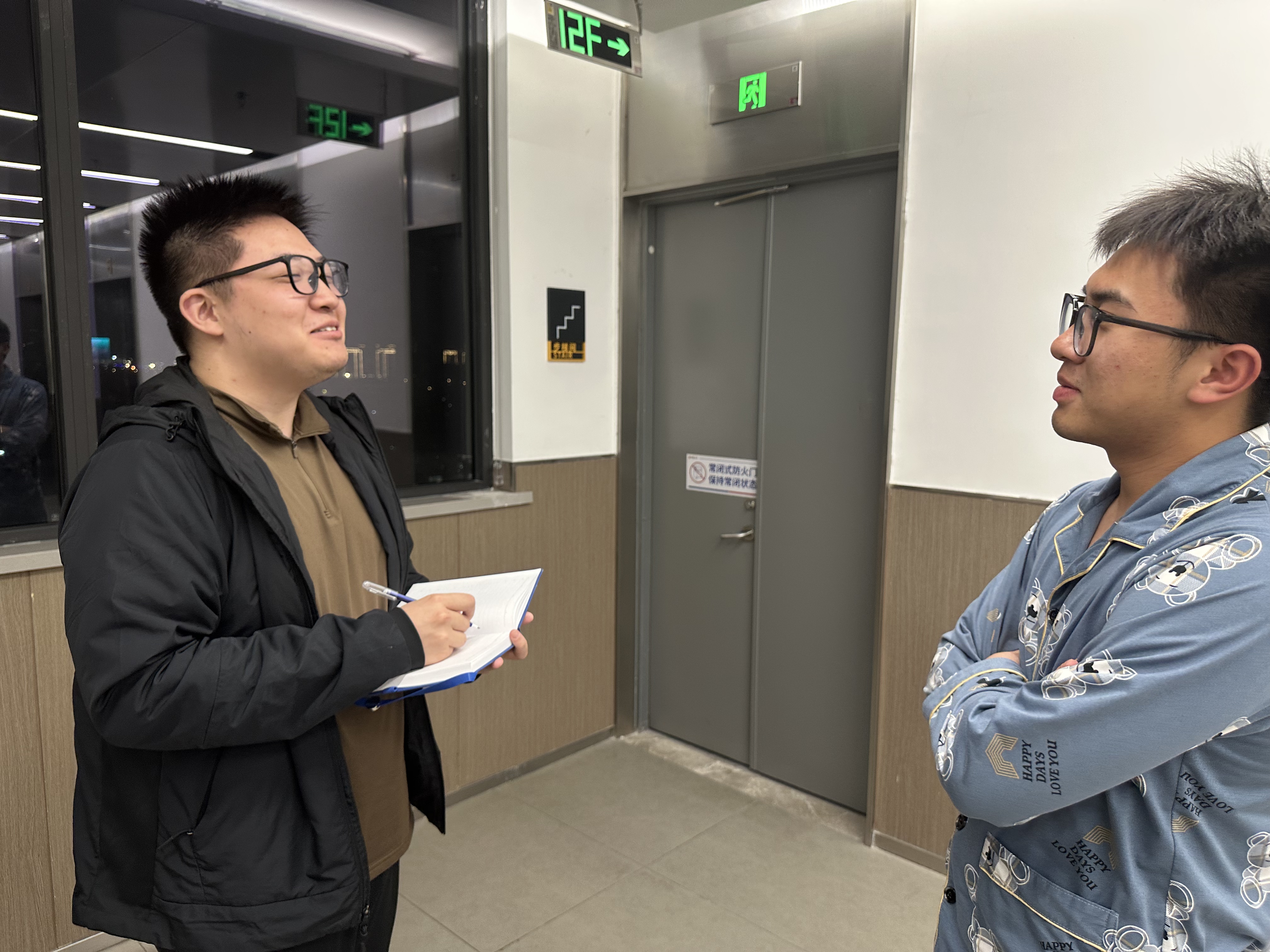
Evidence of Life

5 photos or clips

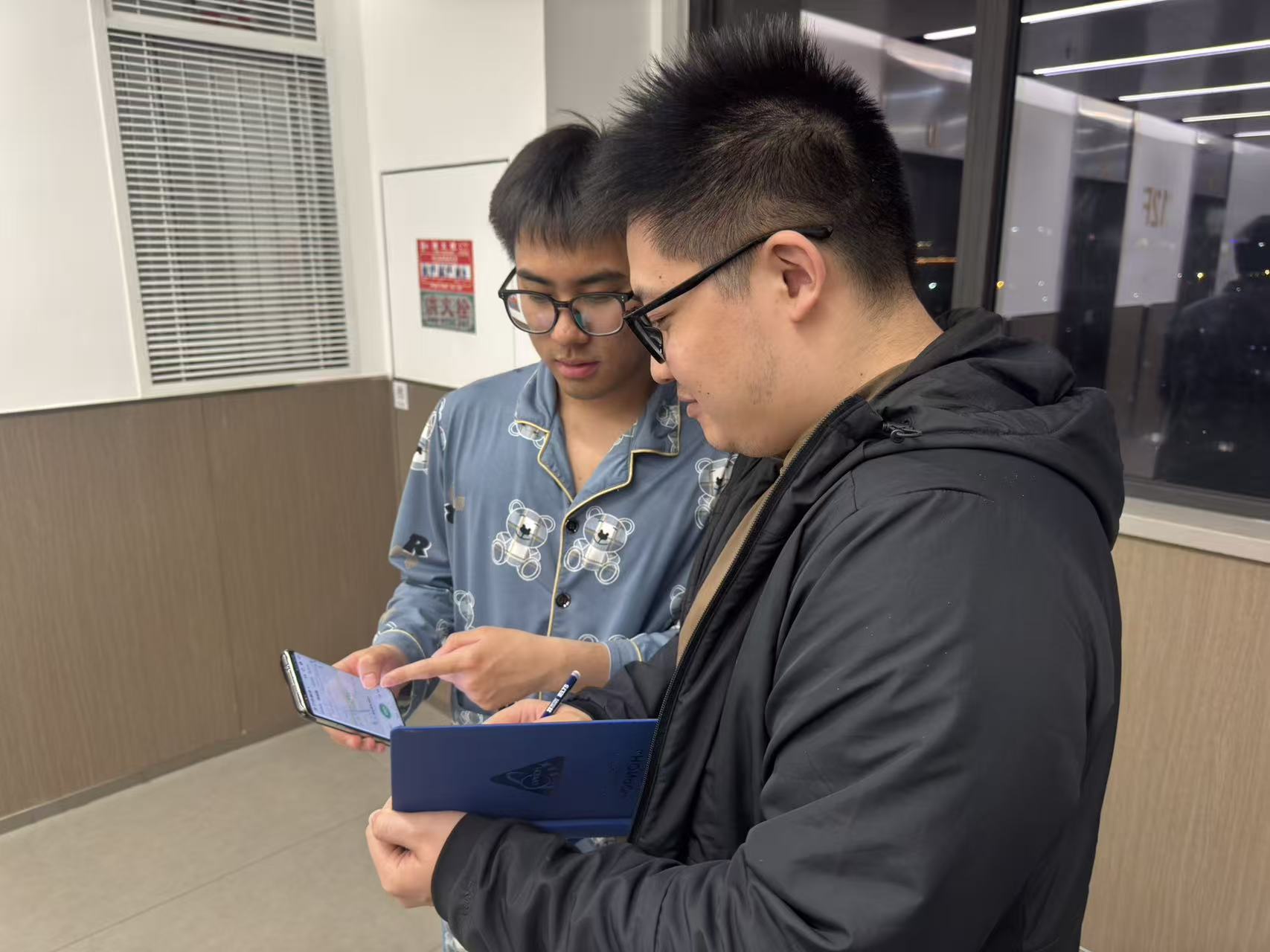
These photos document our real user conversations and onsite observation process, showing how participants discuss routes, check details, and prepare activity information in a real campus setting.

03 · Ideation & Alternatives

Document the thinking, not just the final answer.

Show evidence of divergence and convergence: sketches, multiple solution paths, and why you selected one direction over the others.

Divergent ideation

Crazy Eights sketch gallery

Eight quick interface directions captured before narrowing the final GoRunners workflow.

8 sketches
Alternative A

AI-first

Core: AI coach + conversation-driven interaction.

Focuses on AI-powered coaching through a conversational interface, providing personalized running advice and training plans.

  • +Personalized guidance
  • +Interactive experience
  • +Supports learning and improvement
  • -May be complex for new users
  • -Relies heavily on user input
  • -Less immediate task visibility
Alternative B

Data-first

Core: Data + statistics.

Prioritizes performance tracking and structured data presentation, allowing users to monitor progress efficiently.

  • +Clear and structured
  • +Efficient for goal tracking
  • +Easy to navigate
  • -Low emotional engagement
  • -Limited social interaction
  • -Less motivating for casual users
Selected direction

Social-first

Core: Community + social motivation.

Centers on community interaction, enabling users to share runs, engage with others, and stay motivated through social connections.

  • +High engagement
  • +Strong motivation through community
  • +Encourages long-term participation
04 · Technical Implementation

Technical implementation with clear evidence.

Following the coursework brief, this part should include three deliverables: a system architecture diagram, a high-fi prototype with a hosted URL, and a detailed table of individual contributions.

System architecture

Data flow diagram

System overview of how users, frontend, backend, storage, and external services work together in GoRunners.

01

Users

Main actors who interact with the GoRunners platform.

RunnerBrowses activities, views routes, checks in, uses AI Trainer, and joins community posts.
OrganiserCreates and manages running events, routes, checkpoints, and participant information.
AdminUses the admin console to manage users, events, posts, comments, and moderation records.
02

Frontend Web App

User-facing interface built with HTML, CSS, and JavaScript.

Core Filesindex.html, admin.html, app.js, admin.js, styles.css
Activity FeaturesActivity browsing, event details, route map, and check-in interface.
Interactive FeaturesAI Trainer interface, community posts, likes, comments, and admin dashboard.
Frontend RoleCollects user input, renders pages, displays maps, and sends API requests.
HTTP requests / JSON responses
03

Backend API

FastAPI service that processes data and system logic.

FrameworkFastAPI in server/main.py
User LogicAuthentication, login, registration, and JWT-based protected actions.
Event LogicEvent management, registration, route checkpoints, and check-in records.
Social & Admin LogicMatch preferences, chat, posts, comments, uploads, AI chat forwarding, and admin moderation.
04

Database & File Storage

Persistent storage for platform data and uploaded media.

TechnologySQLModel with SQLite for local development and MySQL for deployment.
Main TablesUsers, Events, Checkpoints, Registrations, Check-ins, Spots, Posts, Comments.
Additional TablesMatch Preferences, Match Chat Messages, and Admin Action Logs.
UploadsUser images and post media are stored through the backend upload system.
05

External Services

Third-party services that support maps, AI, and hosting.

Map ServicesAMap, OpenStreetMap, MapLibre, and Leaflet for route visualisation.
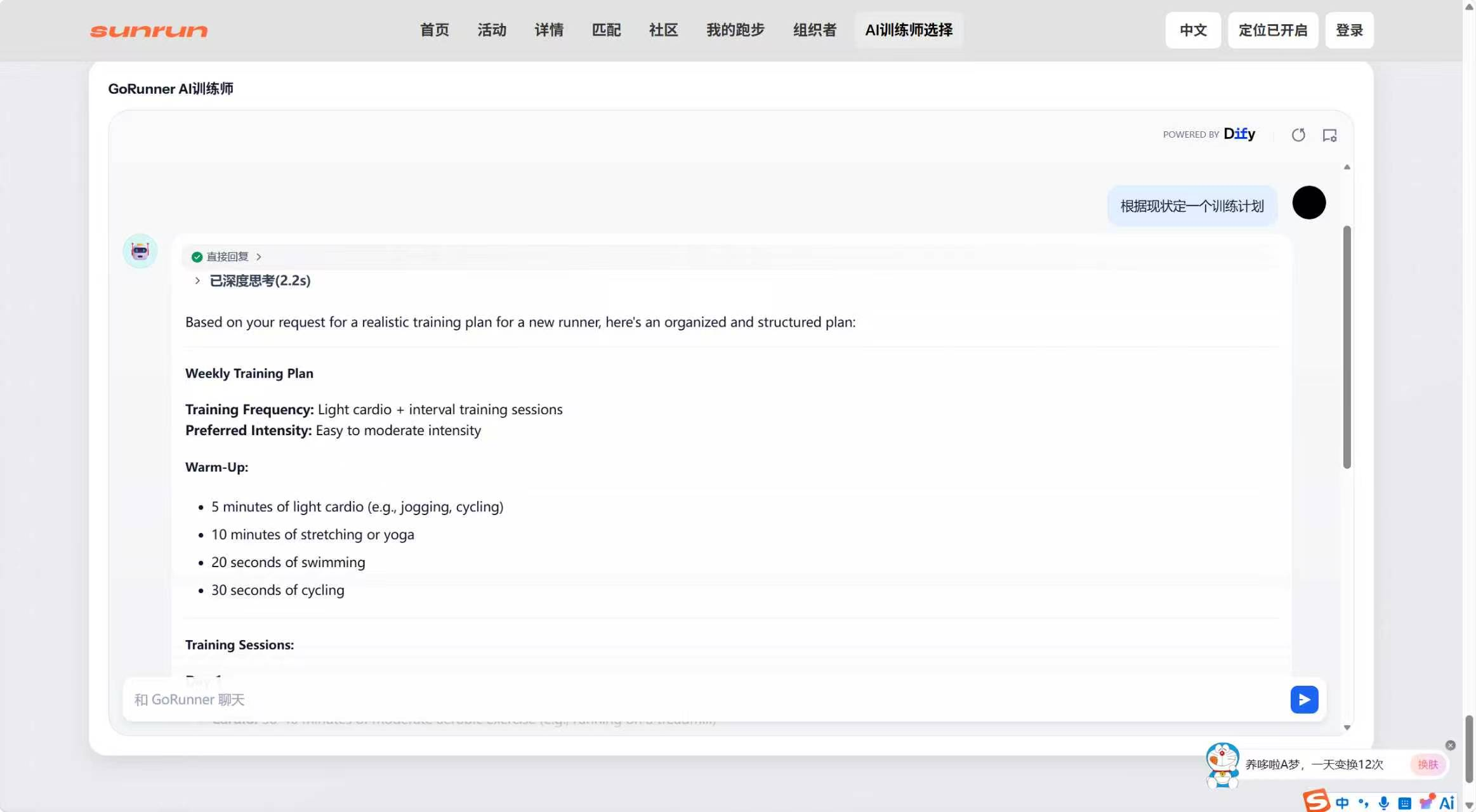
AI TrainerDify chatbot or backend AI chat endpoint for personalised running advice.
HostingRender for backend deployment, and GitHub Pages, Vercel, or local server for frontend hosting.
Figure caption: The GoRunners system connects runners, organisers, and administrators with a frontend interface, FastAPI backend, SQL database, file storage, map services, and AI Trainer integration.

High-Fi prototype

Interface + URL

Show your real high-fidelity screens and make sure both links below are directly accessible.

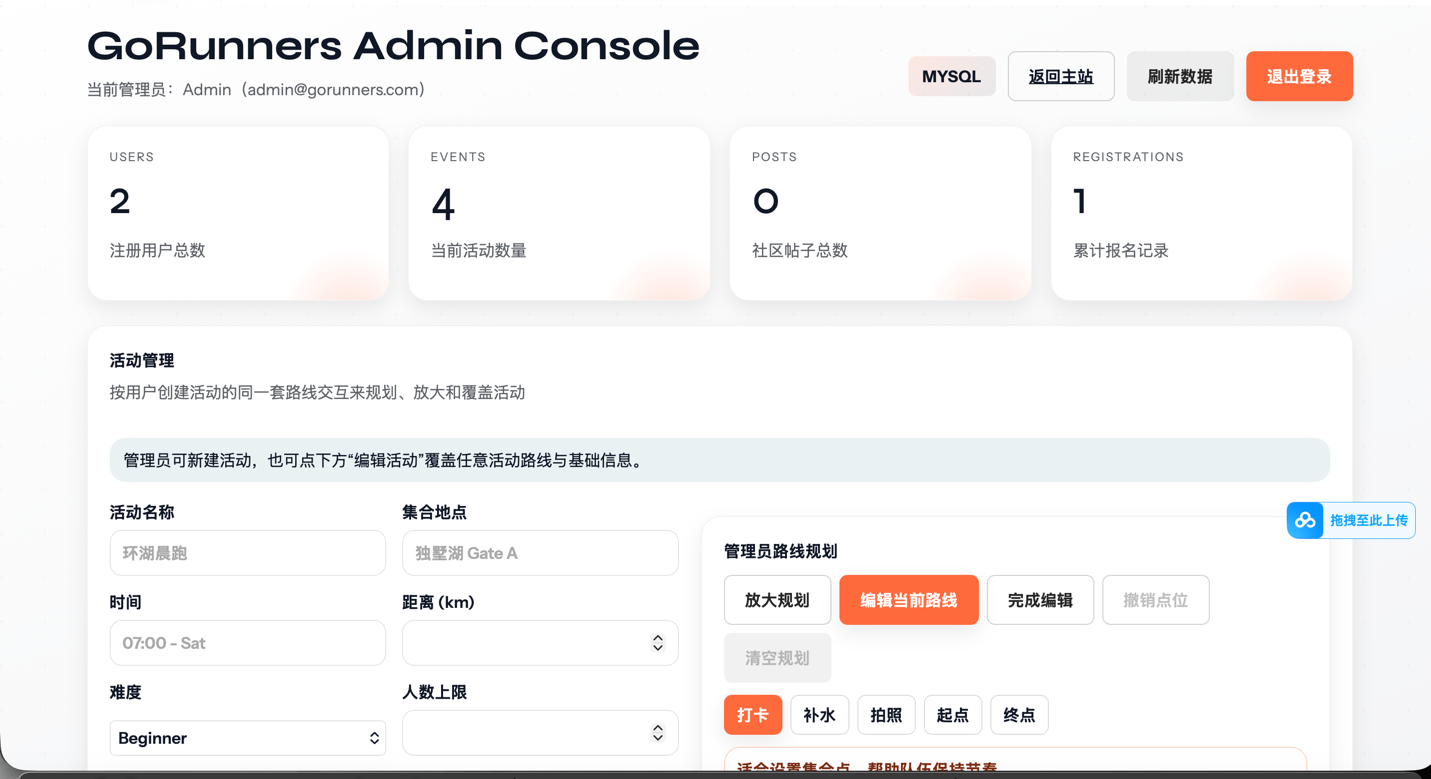
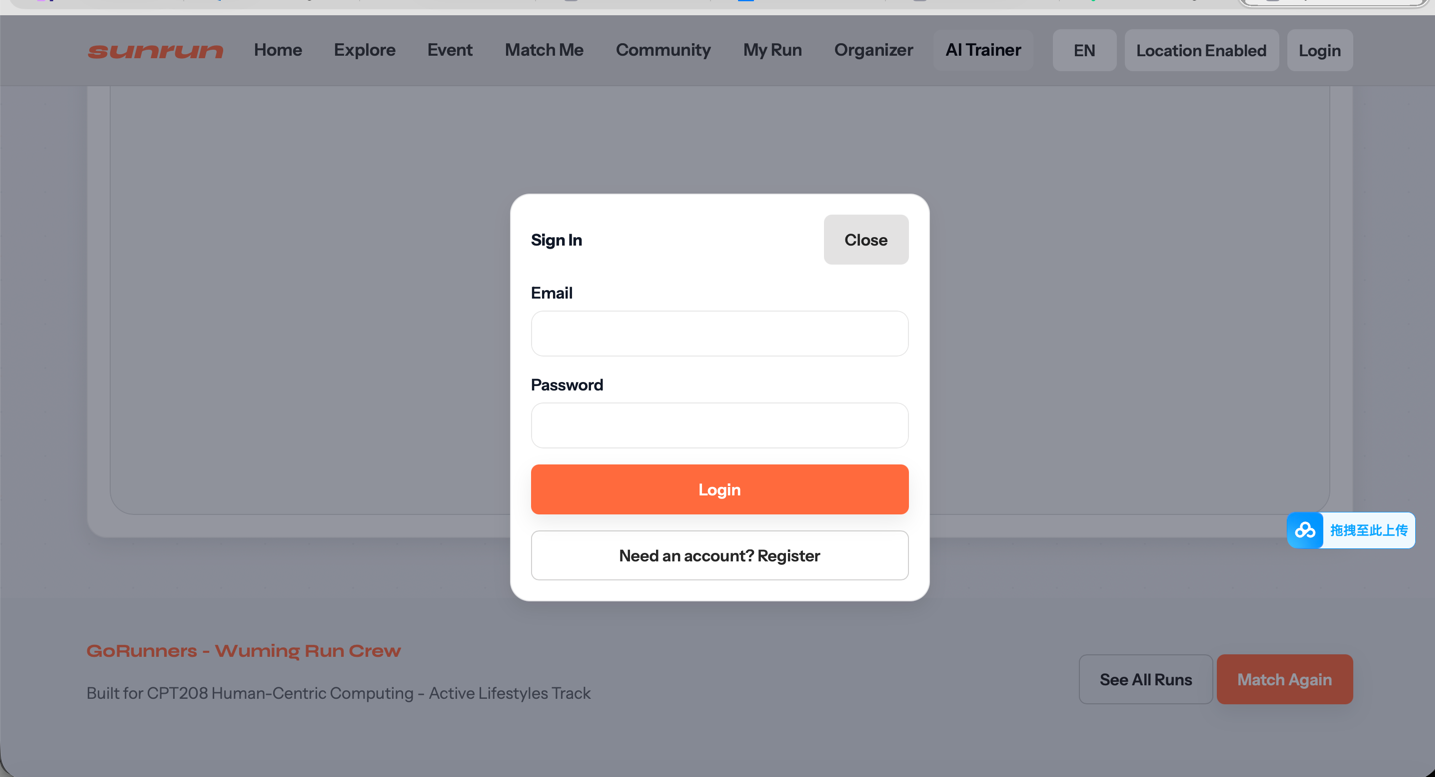
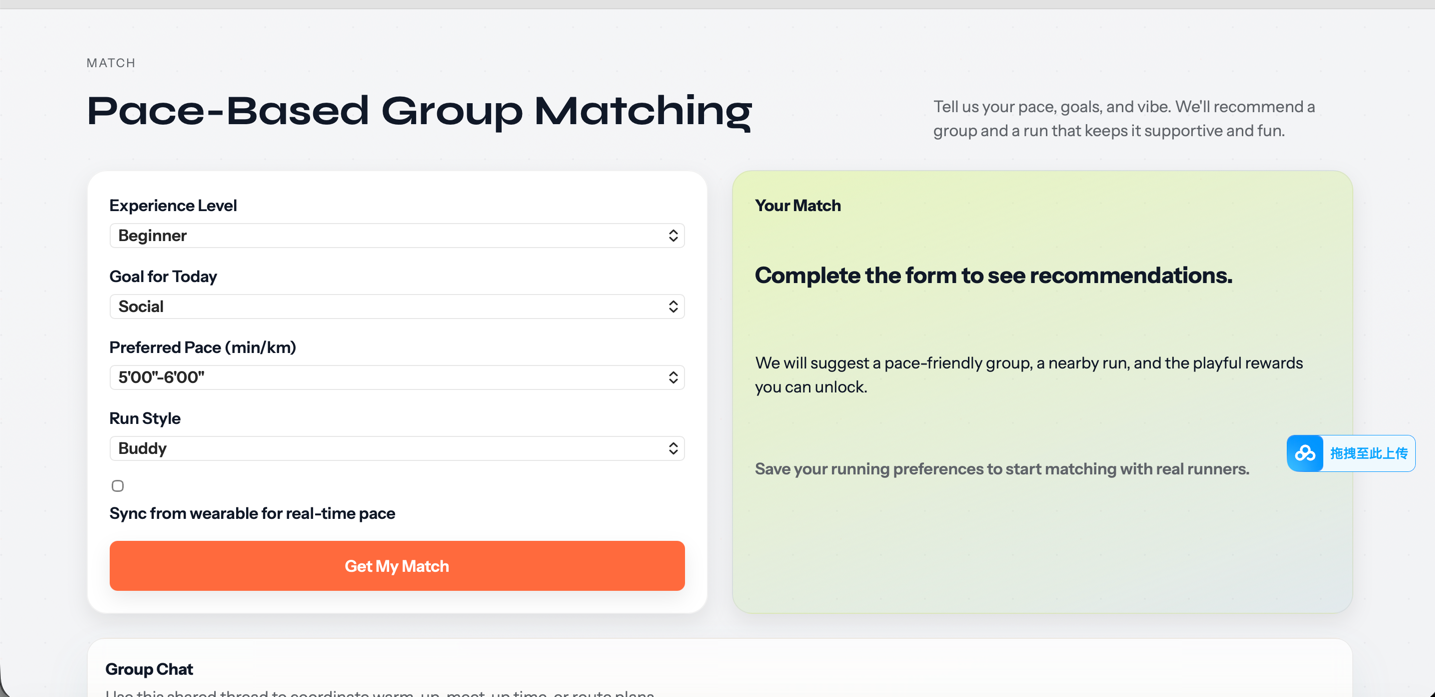
The high-fidelity prototype was developed directly from the implemented GoRunners web app rather than as a separate static mock-up. The prototype uses the actual project files, including index.html, admin.html, styles.css, app.js, and admin.js, so it reflects the real interface and interaction flow of the system.

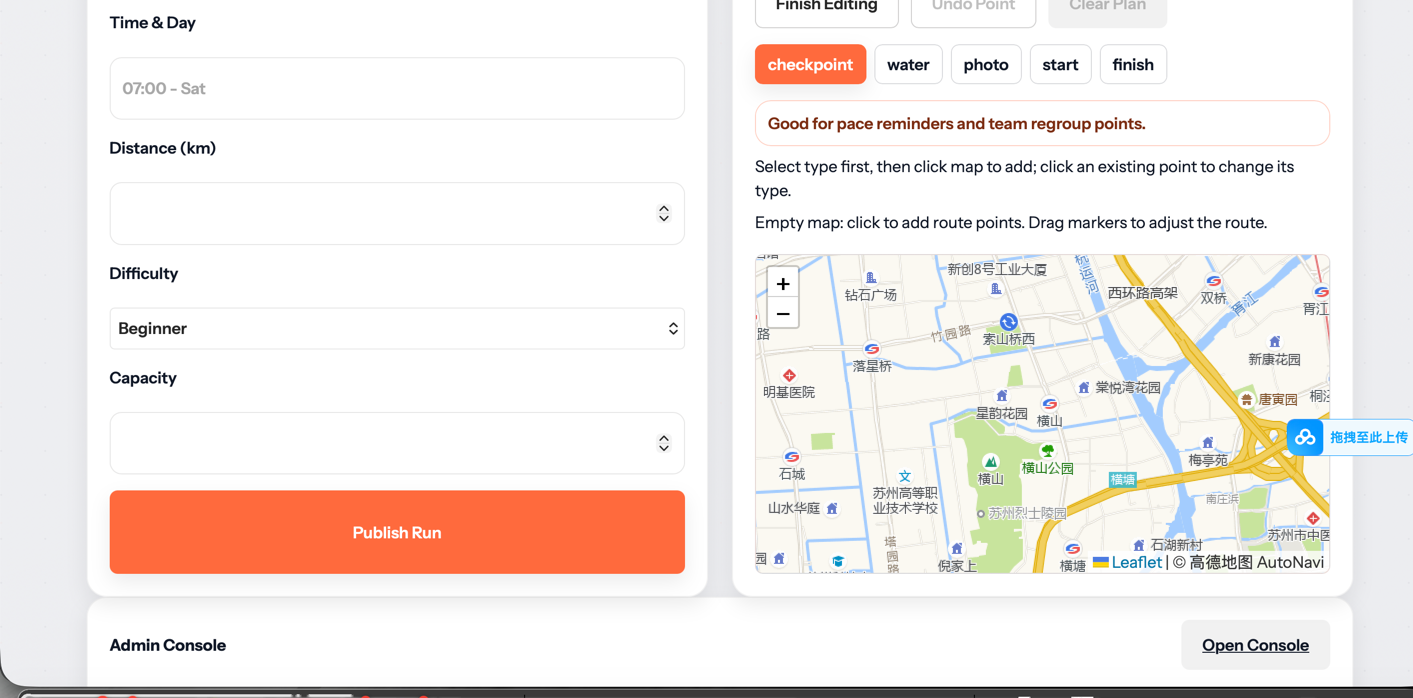
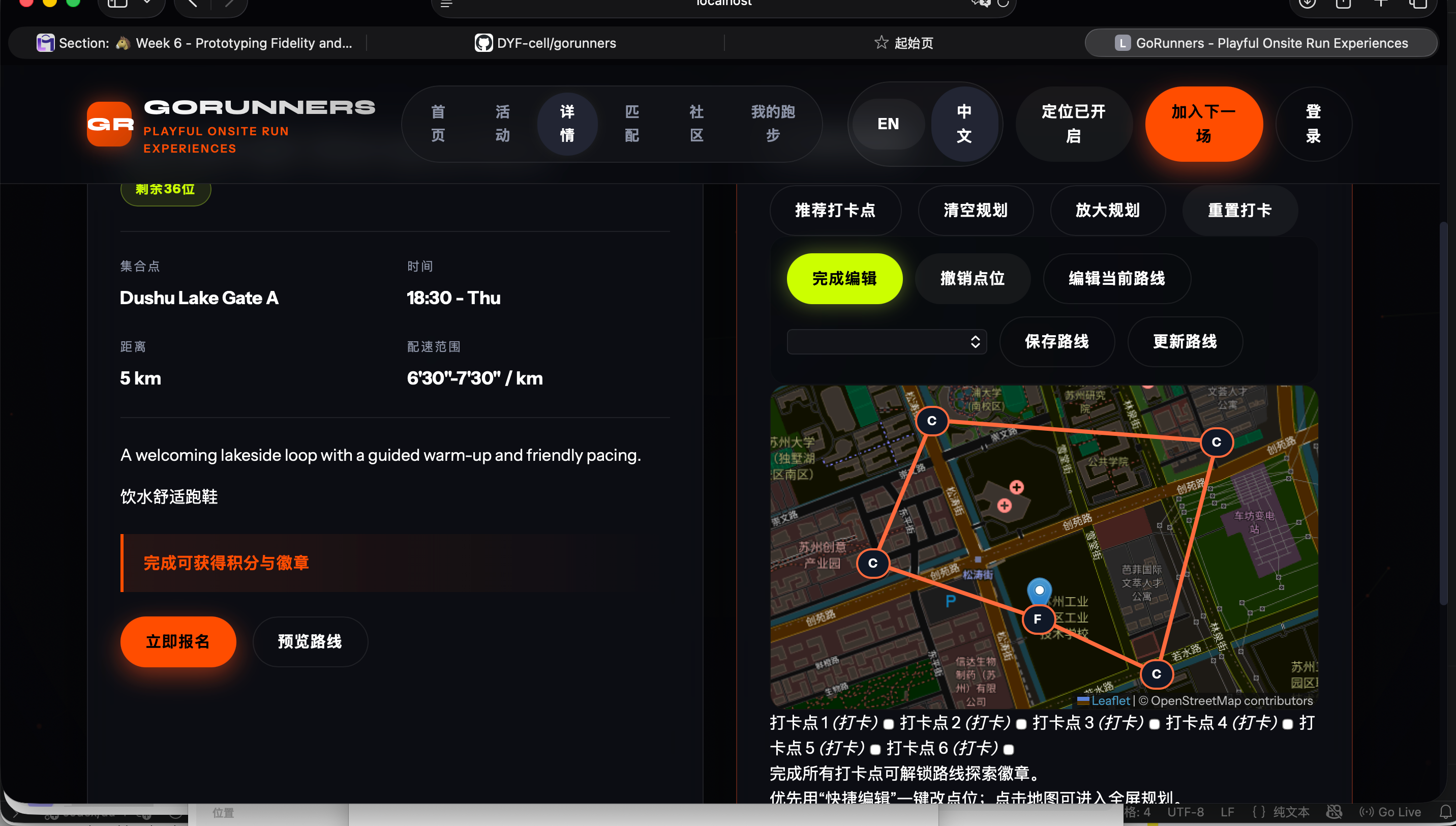
It demonstrates the main user-facing features, including activity browsing, route map and check-in, AI Trainer, community posts, and the admin dashboard. Screenshots from the running prototype are included to show the final visual design and key user flows.

Individual contributions

Exactly what each member built
Member Code UI Design Content / Research Testing / Evidence
Junhong LiaoBuilt responsive layout sections and interaction scripts.Polished page hierarchy, spacing, and visual consistency.Wrote implementation narrative and architecture explanation.Commit logs, screenshot records, and revision notes.
Yufeng DuImplemented feature logic and data flow integration.Designed module-level interface states and behavior rules.Prepared technical descriptions for deployment and features.Flow diagram updates and debug checklist evidence.
Xiaohan QiuSupported testing scripts and issue-fix patches.Refined task flows based on usability findings.Synthesized user feedback and evaluation conclusions.Interview notes, test result table, and iteration records.
Sunxi PengIntegrated content blocks and media assets into pages.Adjusted final prototype visuals and presentation details.Completed portfolio writing and slide/video support text.Section drafts, media files, and final delivery checklist.
05 / Evaluation and Reflection

Usability testing evidence, iterative refinement, and final reflection.

This section reports alpha testing with three real users, the design changes made after feedback, and the required social/ethical and AI reflection.

Usability testing (Alpha version)

3 real participants

We tested the Alpha prototype with three participants who represent our target users. Each person completed four tasks: finding a running event, checking route/checkpoint details, trying pace matching, and opening the AI trainer feature. We recorded task completion, hesitation points, and direct user quotes.

Participant Profile Observed issue in Alpha User quote Design refinement
P1 Beginner university runner Unsure which function to start with on homepage. "I like the concept, but I was not sure whether to start from Explore, Match Me, or AI Trainer." Added clearer first-step CTAs and simplified homepage hierarchy.
P2 Regular casual runner Route map was useful, but route editing flow was not obvious. "The map is useful, but I need clearer hints before adding checkpoints or saving a route." Added route hints and clearer add/save labels in planning flow.
P3 Older light jogger Initial page felt dense, increasing reading effort. "I do not need too many functions at once. I want the text and actions to feel simple." Reduced visual clutter, improved spacing, and simplified wording.
SUS

85 / 100

Overall usability reached an excellent range after iteration.

Ease of use

92%

Most testers reported clearer navigation and lower first-step confusion.

Route planning

88%

Users understood route and checkpoint operations more quickly.

Stability

95%

Testing sessions reported very few interaction/state errors.

Before vs After trend (Alpha to refined version)

Line chart

The chart shows improvement after implementing user feedback. Final values are SUS 85, 92%, 88%, and 95%.

0 20 40 60 80 100 SUS Ease of use Route planning Stability 85 92 88 95
Before (Alpha baseline) After (refined version)
Before / Alpha

Before: first-step path was not explicit

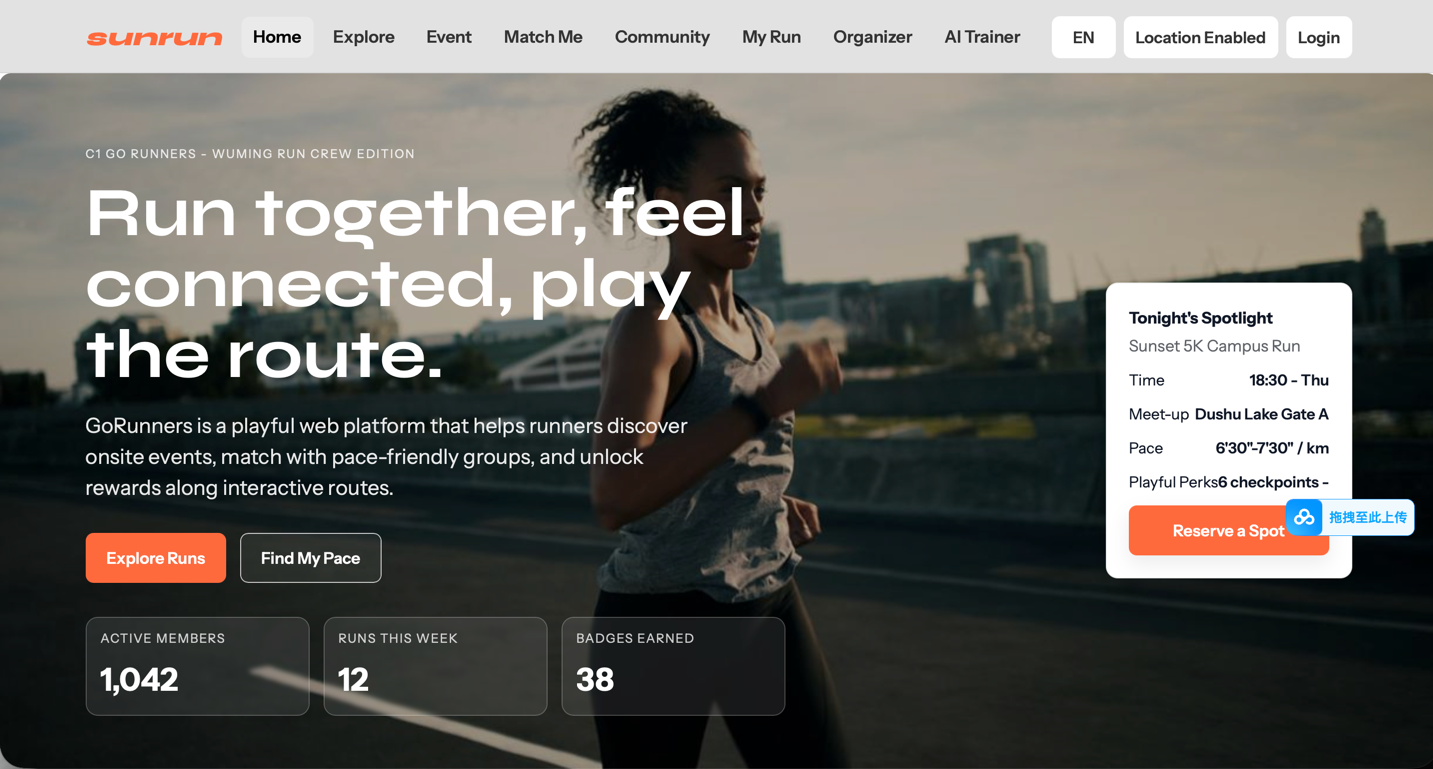
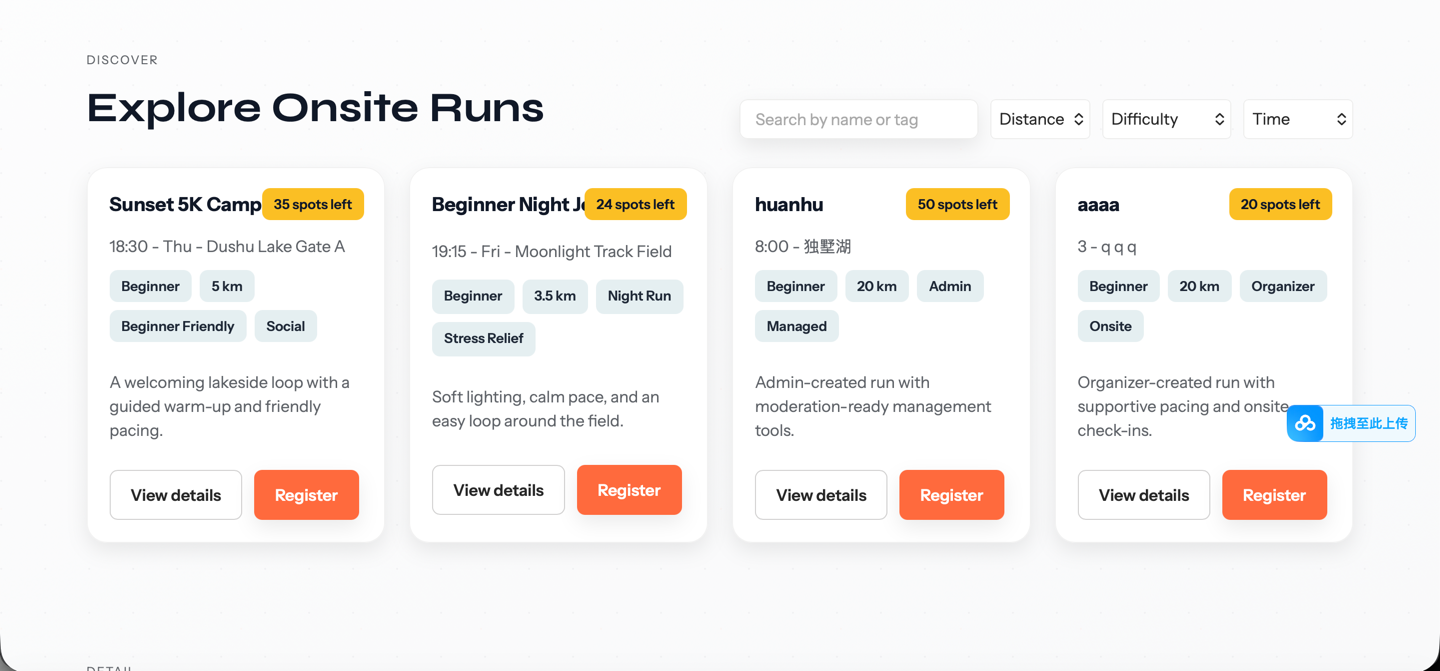
In the alpha screenshot, users saw multiple actions at once and hesitated at the first decision point. Route-related actions were visible but guidance was not obvious for beginners.

Before screenshot from alpha version

Evidence screenshot: uploaded alpha interface (`before.png`).

After / Final

After: clearer hierarchy and guided actions

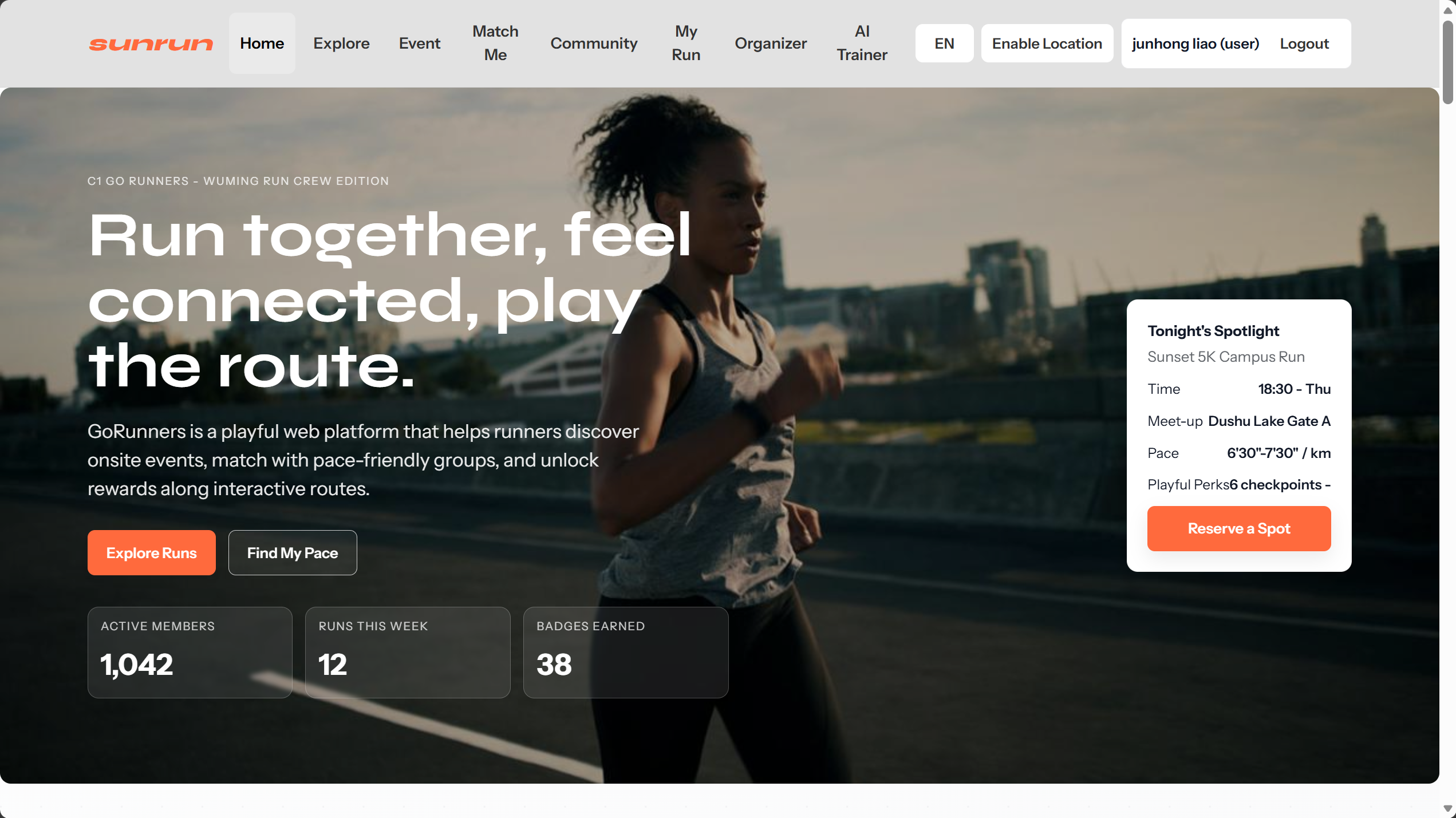
In the refined screenshot, primary entry points are clearer and key actions are easier to scan. This reduced first-step confusion and improved task completion confidence in testing.

After screenshot from refined version

Evidence screenshot: uploaded refined interface (`after.png`).

What changed after testing

The key refinement was clarity, not feature expansion. We improved first-step guidance, route-save feedback, map hints, spacing, and beginner-friendly language.

Final reflection: social and ethical implications

GoRunners can encourage healthier lifestyles and social connection. However, reward systems should avoid pushing unhealthy competition, and location-sharing must remain transparent and optional to protect privacy.

Final reflection: AI use in this project

AI was used for visual asset assistance, wording refinement, and coding/debugging support. Design decisions, user findings, and final conclusions were based on team research and real-user testing, with manual verification before adoption.

06 · Team

Our team.

Meet the people behind GoRunners.

Junhong Liao

Junhong Liao

Student ID: 2363229

XJTLU CS student & published researcher. Skilled in Python/MATLAB with MCM Honorable Mention. Experienced team leader passionate about AI and problem-solving.

Yufeng Du

Yufeng Du

Student ID: 2362479

XJTLU ICS student with 3.7 GPA, served as a surf member. Proficient in Python/Java, interested in AI model exploration. Hobbies include music, Go, and badminton.

Xiaohan Qiu

Xiaohan Qiu

Student ID: 2360886

XJTLU ICS student, two-time SURF researcher (CAD/FEA & AI imaging), MCM Honorable Mention. Skilled in Python/SQL, experienced in teamwork and leadership.

Sunxi Peng

Sunxi Peng

Student ID: 2361598

XJTLU ICS student (GPA 3.7), experienced calculus teaching assistant. Skilled in Python/Java, passionate about AI and model training. Enjoys music, Go, and reading.

07 / Technical Reflection

How AI assistance was used, verified, and constrained.

In line with the Generative AI permissions requirement, this section records what AI helped with, how outputs were validated, and which ethical boundaries were applied.

Prompt log

What AI was used for

AI tools supported wording refinement, structure drafting, CSS/layout polishing, debugging suggestions, and visual asset ideation for portfolio presentation.

Verification

How outputs were checked

We did not copy AI output directly as final. Content and code were reviewed against coursework criteria, tested in the browser, and aligned with user feedback from Alpha usability testing.

Ethics

Risks and constraints considered

We considered accessibility, privacy, and bias. The interface avoids assuming all users are competitive runners, keeps location sharing optional, and frames AI trainer output as support rather than professional medical advice.

References and acknowledgments

Coursework citation list

[1] D. A. Norman, The Design of Everyday Things. New York: Basic Books, 2013.

[2] H. Oinas-Kukkonen and M. Harjumaa, "Persuasive Systems Design: Key Issues, Process Model, and System Features," Communications of the Association for Information Systems, 2009.

[3] B. J. Fogg, "A Behavior Model for Persuasive Design," in Proceedings of the 4th International Conference on Persuasive Technology. ACM, 2009.

[4] OpenAI ChatGPT, accessed on 2026-04-27. Used for wording refinement and debugging assistance.

[5] Generative image tools, accessed on 2026-04-27. Used for non-core visual support only.